Exploring the Agent Console
The Agent Console provides a simple and intuitive user interface, without requiring complex training processes.
Take a glance at the main panels and their functions to gain an initial understanding of the Agent Console’s layout and features.
Layout components are as follows:
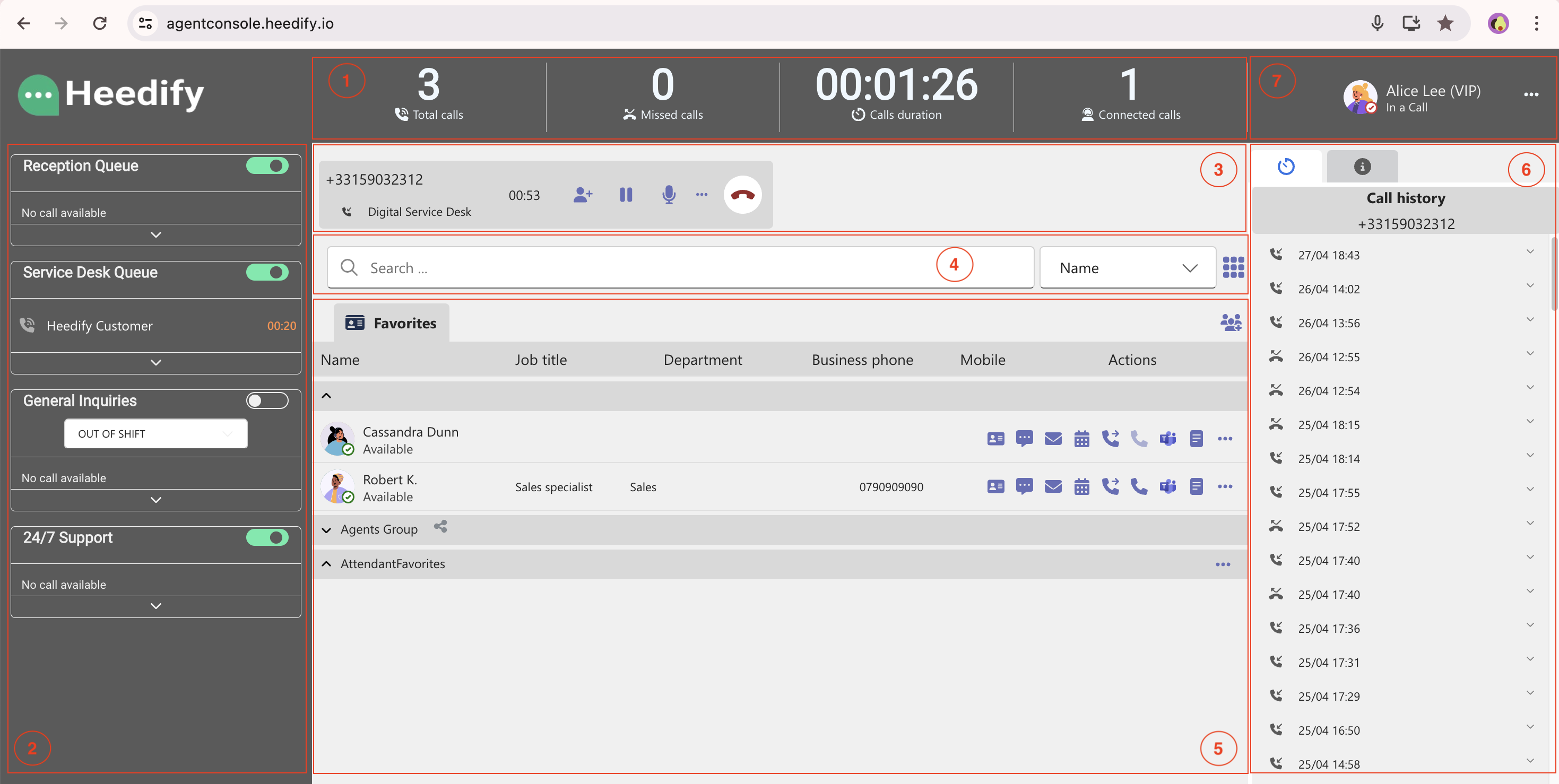
| Panel | Component | Content |
|---|---|---|
| 1 | Agent performance panel | Show in real time calls number and duration |
| 2 | Queues Menu | Visual organization for queue and calls |
| 3 | Active calls zone | Offer active call management |
| 4 | Users search bar | Input for contact search and filtering |
| 5 | Data panel | Listing and managing contacts Monitoring interface Integration frames |
| 6 | History and details panel | Contextual calls histroy Call timeline Contact details |
| 7 | Personal preferences | Logout Settings About |