Integration
The Heedify Agent Console can display contextual information from an external service while you handle a call.
When an integration is configured for a queue, its content opens in the workspace when a call from that queue arrives. The content can include a CRM record or a related web page.
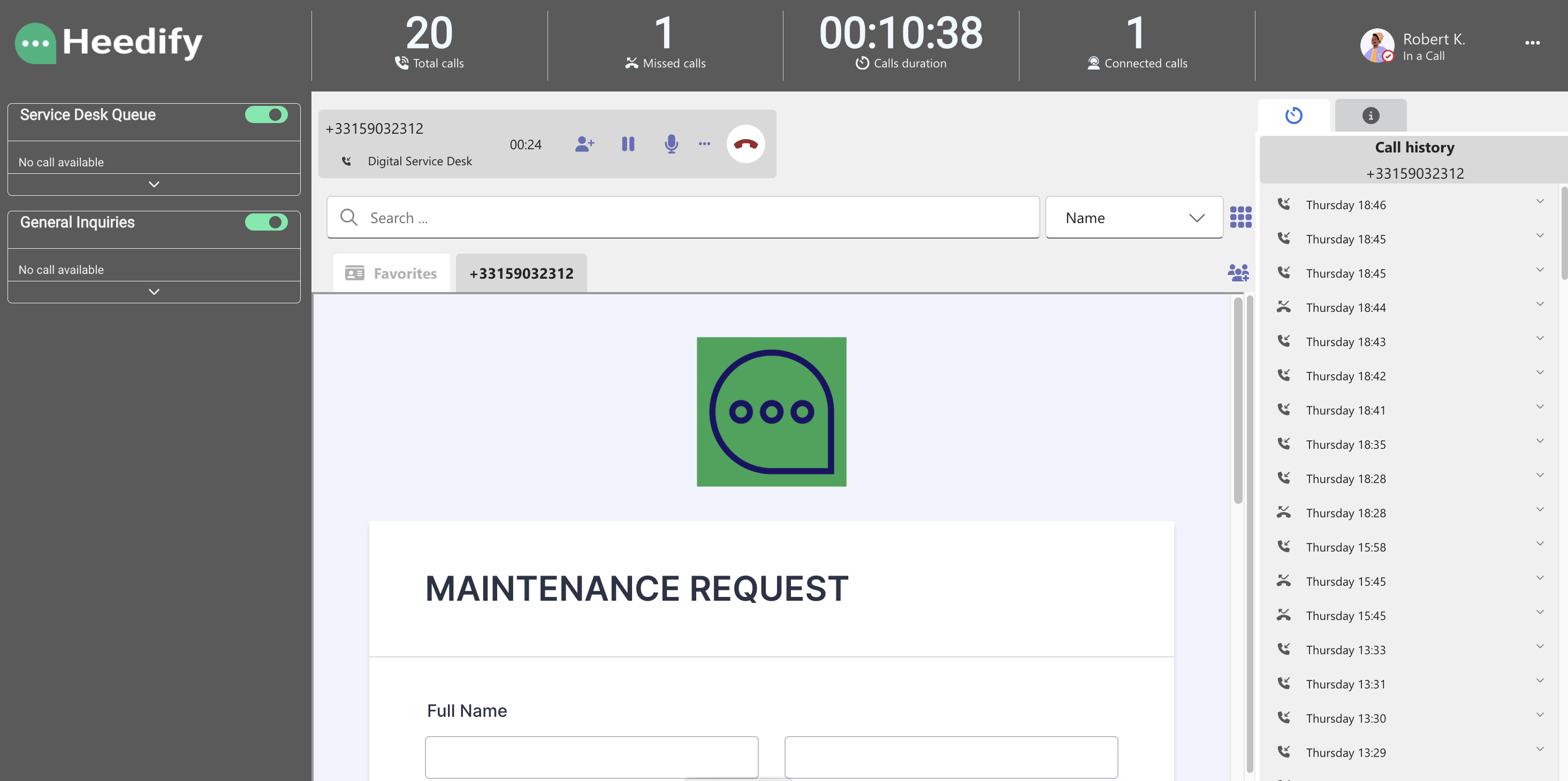
Where the page opens
Your administrator chooses, for each queue, how the page opens when a call arrives:
| Option | What the agent sees |
|---|---|
| In agent console | The page opens in a tab of the Agent Console workspace, next to the call. |
| Open new browser tab | The page opens in a new tab of your web browser. Useful when the CRM needs its own sign-in or authentication, or does not allow being displayed inside another application. |
With Open new browser tab, allow pop-ups for the Agent Console in your browser, otherwise the browser can block the new tab. The setting is made in the queue’s Service integration tab.
Works with: Microsoft Teams, CRM systems, external web pages.