Preferences
Settings
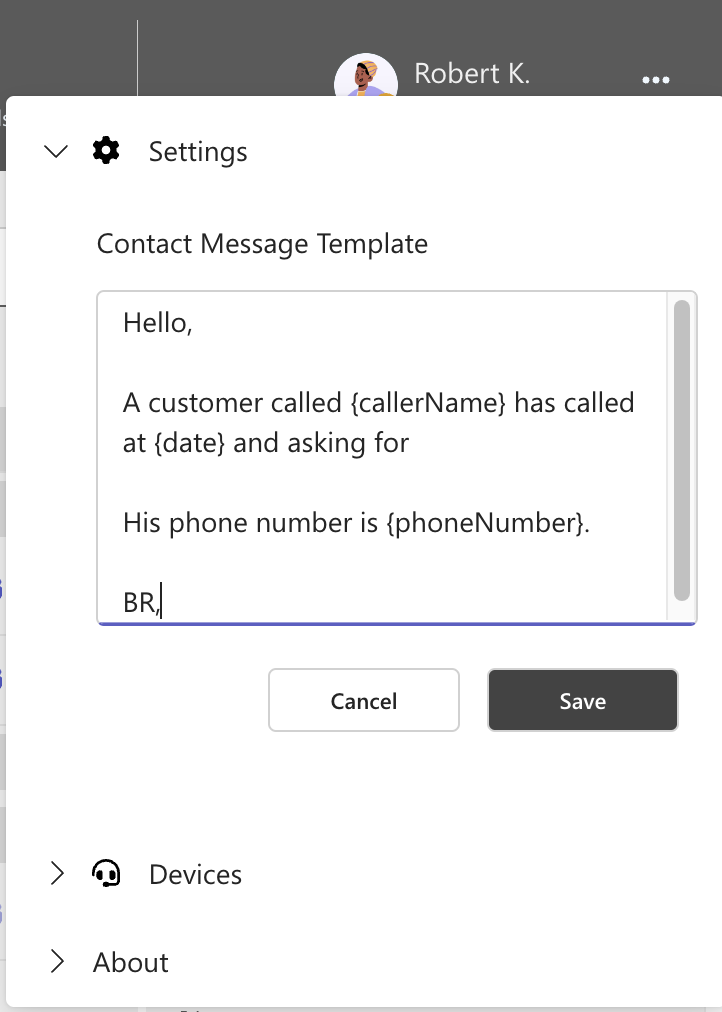
Message Template
This feature enables the agent to create a quick reply template that can be used for sending instant messages and emails.
Variables can be used within the template to create a contextualised messages.
Available variables are
phoneNumbercallerNamedate
To enable this feature:
- Click on the Preferences icon and select Settings.
- Next, edit the Contact Message Template. You can utilize variables as described previously.
- Finally, click on Save.
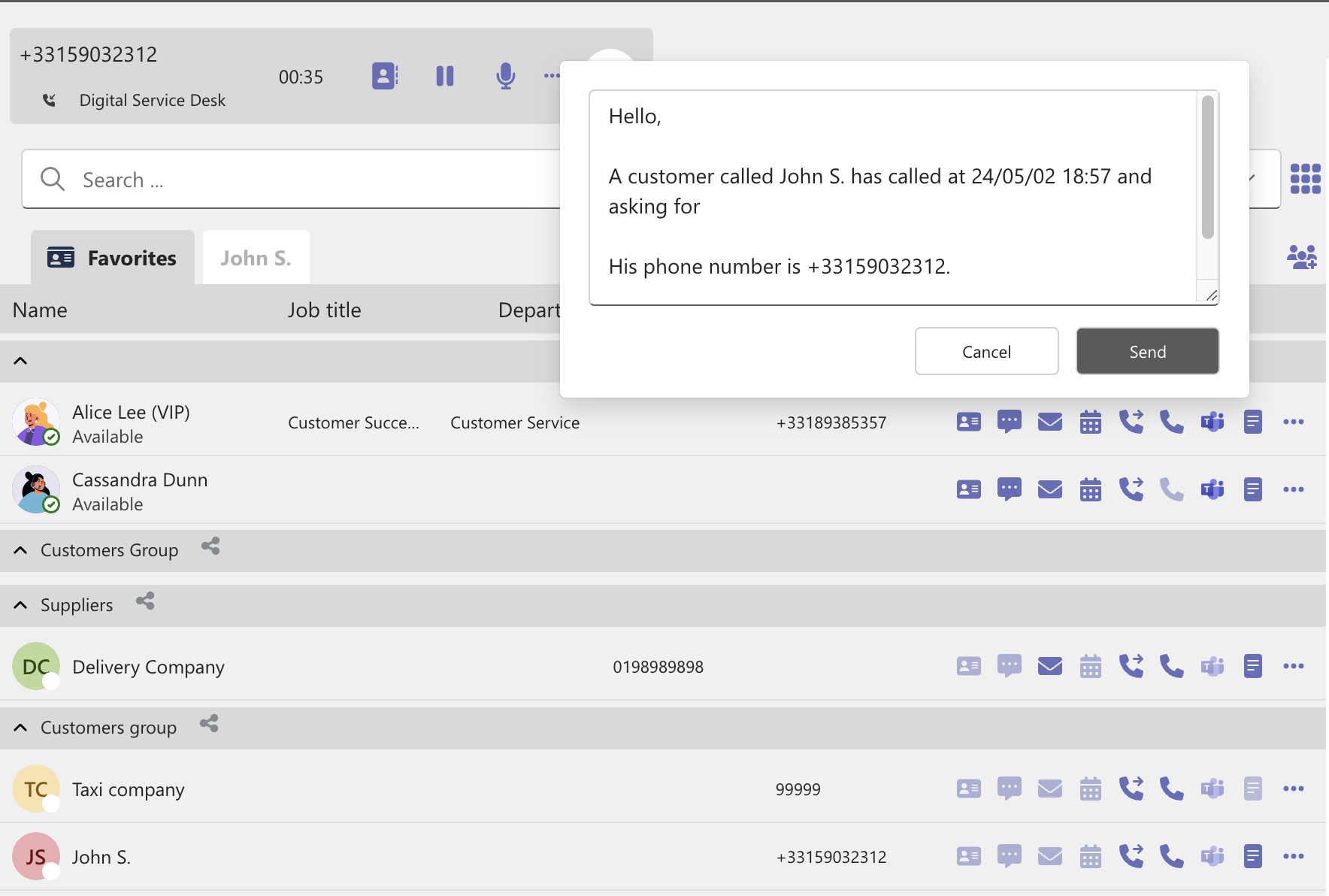
During a call, click on the Push message icon to display the editor. Edit your message as needed and then click Send.
A customized instant message will be sent to the second agent.
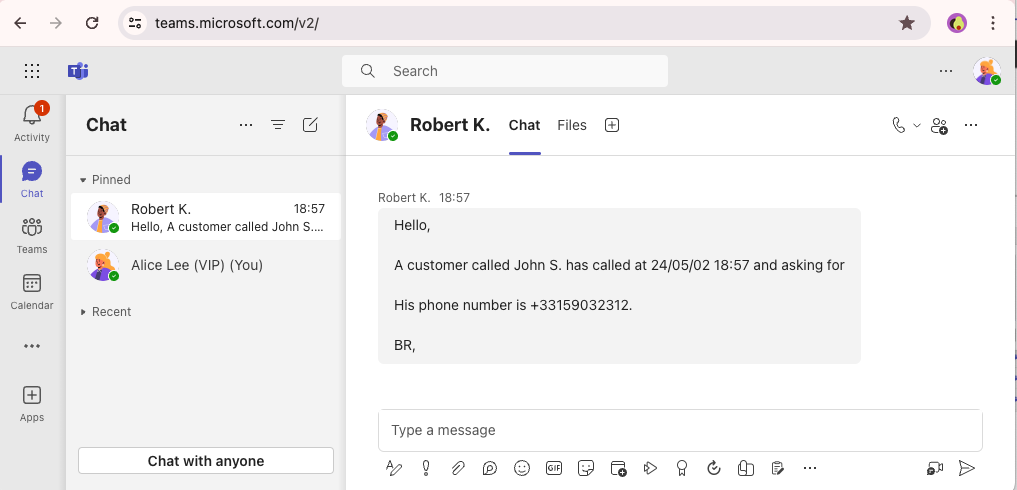
💡 Mail can be used as an alternative.
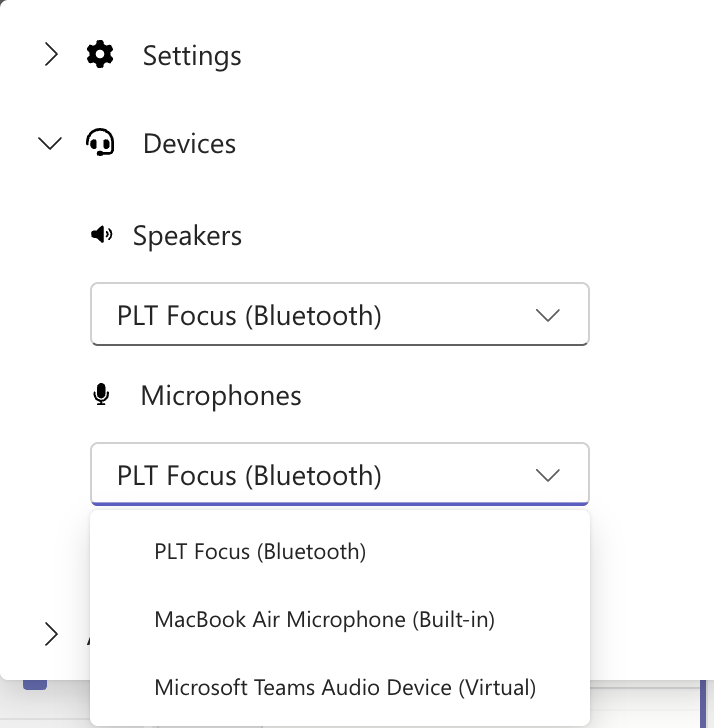
Devices
The devices section allows you to select the speakers and microphones, ensuring your calls always use the correct device.